Support: Typing issues with non-English keyboards
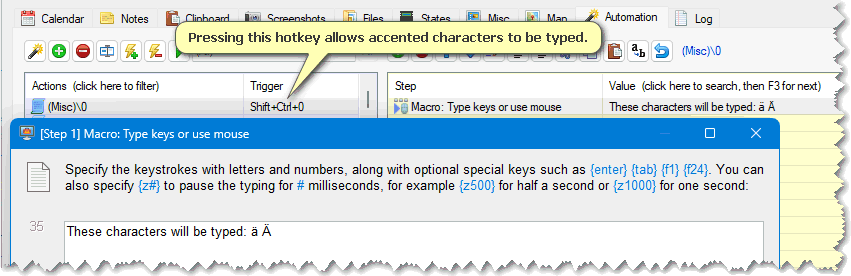
You can still create automated actions that use or type accented characters, because when you're asked to specify the non-English text when editing an action step (Figure 1), the keyboard monitoring is auto-disabled for that prompt's duration, and re-enabled when the prompt closes. This means you can set hotkey triggers (or non-accented text triggers) to type the non-English text with accents.
If you'd prefer to disable keyboard monitoring altogether on a non-English keyboard, then you do this as shown in Figures 2 and 3 below. However, this also disables auto-completion of text in the Action list (it disables the "Type text" trigger option), and also disables macro recording of the keyboard. You may have to temporarily enable that setting again when recording a macro.
 You can also temporarily disable (and re-enable) keyboard monitoring on-the-fly using the action step called Toolbox: Enable keyboard monitoring, which will allow you type accented characters until monitoring is enabled again.
| Figure 1 |
 |
| Figure 2 |
 |
| Figure 3 |
 |