Boosting the productivity of smart PC users since 2022
AlomWare Toolbox
Version 9.0.0.5 for 64-bit versions of Windows 7, 8, 10 and 11. Primarily English text. AlomWare Toolbox provides powerful system automation, window management, clipboard history, text expansion, PC states, scheduled tasks and reminders, and more in one single tiny portable exe file! No installation or account is needed, there's no AI code, no tracking of you, and no telemetry. Always 100% safe as independently verified by VirusTotal and Softpedia.
Your work has many tasks, but you don't need to juggle multiple apps.
Less repetition and rework. More getting things done.
Back in the DOS days, smart PC users enjoyed Borland Sidekick to boost their productivity. Sidekick was a suite of handy tools that popped up from a hotkey to let you do something without leaving your current work. AlomWare Toolbox is the modern-day alternative to Borland Sidekick. It's not exactly the same, but as with Sidekick you just press a hotkey and up pops a window over your current work with practical PC tweaks and useful tools to assist your workday. The app is free (with limits; see the FAQ) so why not give it a try? Then join the ranks of our satisfied paid users by making the one-time investment in your productivity today!
AlomWare Toolbox is your on-demand pop-up assistant that boosts your productivity in multiple ways:
Type a short trigger text and AlomWare Toolbox can auto-expand it to type your email address, canned responses, logins, and other text. Hotkeys can be used to type dynamic text, such as today's date. 🎥 Watch video.
Clipboard history
Keep a history of copied text and images so they're available again when needed. There are privacy options to exclude specific text from being added to the history. You can also convert the clipboard text to other formats. 🎥 Watch video.
Files and folders
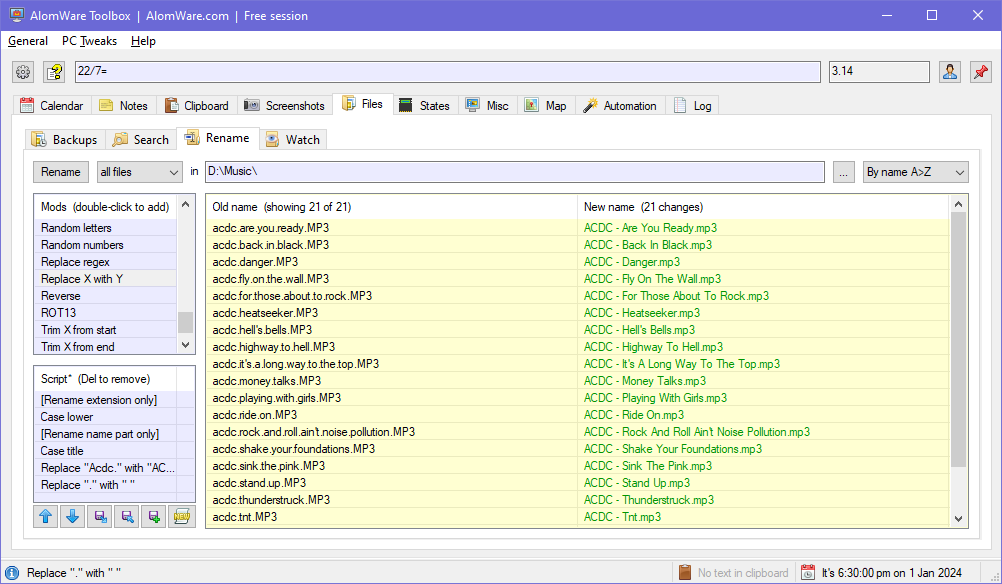
Perform bulk file renames with real-time previews of the changes. Watch the file activity in a folder to see what's being added, deleted or renamed. Auto-backup a file whenever you open it with the app (file versioning). 🎥 Watch video.
Map your PC use
Optional feature. Every app, doc and folder that you open, and clipboard text that you copy, can be auto-added to AlomWare Toolbox's "Map" tab for later reopening or copying. Closed a folder by mistake? Reopen it instantly without navigating to it!
PC states
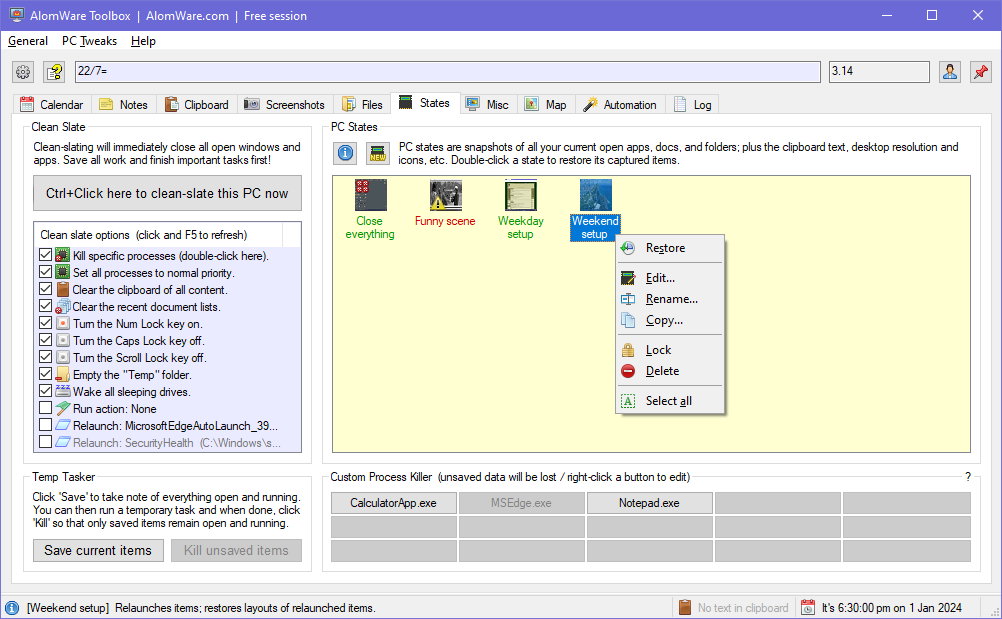
Save the way your current apps, docs and windows are arranged (and optionally the desktop size and its icons, the sound volume, clipboard text, etc) and restore that environment later. 🎥 Watch video.
Reminders and scheduled tasks
Use the "Calendar" tab to browse dates, create reminders and scheduled tasks, see countdowns, and do date calculations. You can even set minute reminders in as few as 6 keystrokes! All so much easier than using the Windows "Task Scheduler".
Window management
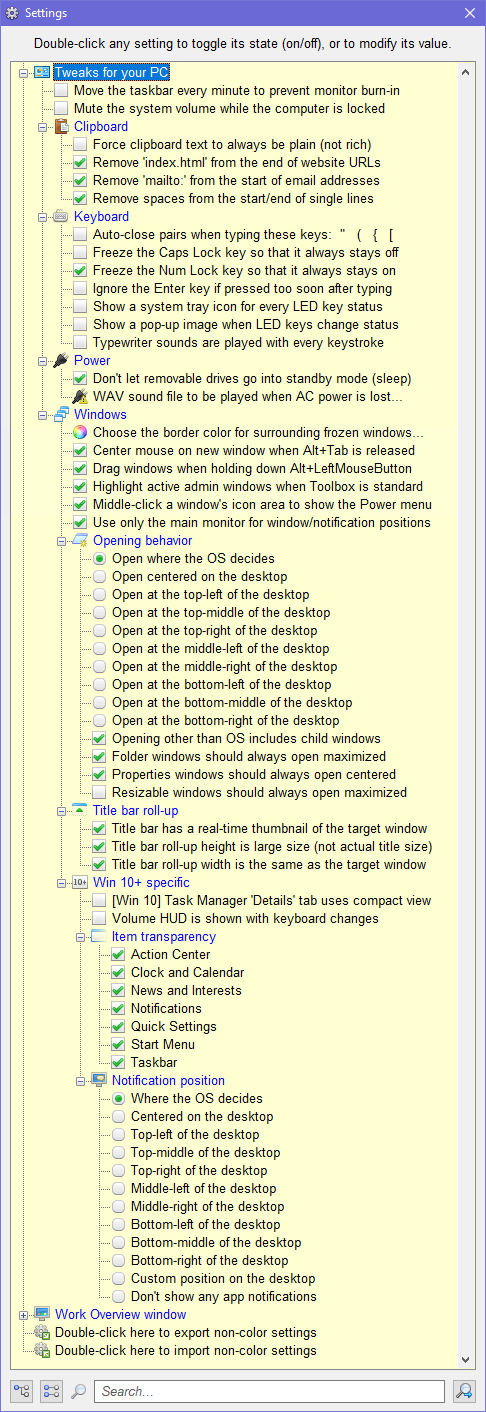
Keep any window on top of all others, make windows auto-open the way you set them (🎥 watch video), create zones to move into, roll up to their title bar, dock them together, dim them, freeze the window focus to prevent stealing, and more.
AlomWare Toolbox requires a 64-bit version of Windows 7, 8, 10, or 11; but please note that some features will only work with Windows 10 or later (these are clearly mentioned in the app). Admin rights are optional, but allow more control of your PC if the app is run that way. English is the only supported lanugage as the app uses an insane amount of in-app text, but the app's main window elements do support other languages by copying and editing the "Toolbox Languages > English.ini" file. There are both English and Spanish INI files ready for use when the app first runs.
Why is AlomWare Toolbox so small?
AlomWare Toolbox is a true portable exe file. This means:
It's not a web browser app pretending to be a desktop app.
It's not written in Electron (its source is compiled with FASM).
It doesn't need to download any other dependency files to run.
It's not cloud-based (but you can choose to save its data there).
It doesn't have account or telemetry code included to track you.
It's written by an old-school developer without any AI code at all.
How do I install AlomWare Toolbox?
AlomWare Toolbox is a true standalone portable exe file (yep, not files) so it doesn't actually need installation (the way all good apps should be!). To start using it, unzip its folder somewhere on your PC (or to a USB stick) and double-click the "Toolbox.exe" file inside the folder to start it. 🎥 Watch our video if you need help.
How do I uninstall AlomWare Toolbox?
Since AlomWare Toolbox is a portable app, just quit it from its "General" menu and then delete its folder. That's it! But why not send us feedback so we can improve and maybe make it better? We welcome constructive criticism so please don't hold back.
Why is AlomWare Toolbox better than AutoHotkey?
AutoHotkey is a full text-based programming language and is not easy for most people to use. There is also the risk that using AutoHotkey can get you banned from games you play online, so why risk your gaming purchases by using AutoHotkey? AlomWare Toolbox is a lightweight scripting tool (not a programming language) and therefore won't get you banned when using it for online gaming.
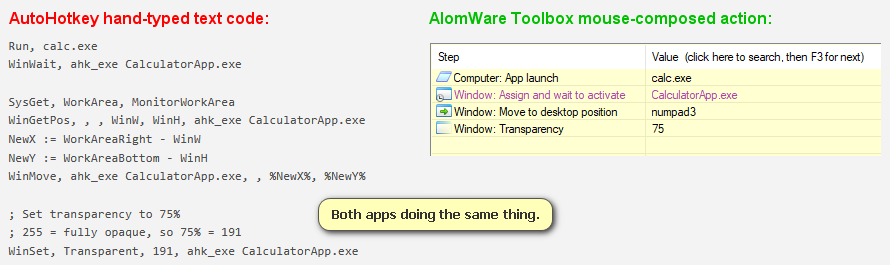
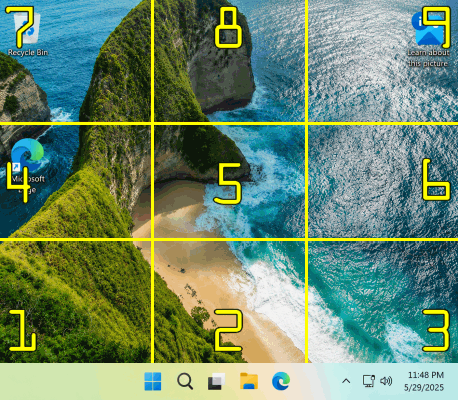
Let's do a quick comparison of using AutoHotkey vs AlomWare Toolbox, with each doing the same function to see their differences. In the image below, we see both apps are launching the Windows Calculator, moving it to the bottom-right of the desktop ("numpad3" shown for AlomWare Toolbox), and setting its transparency level to 75%. As you can see, AlomWare Toolbox is far more simple to understand and use, with no need to type everything by hand or use a confusing non-friendly value of "191" to specify 75% for the transparency level. With AlomWare Toolbox, you directly specify the percentage you need without having to engage in silly mathematics.
Why is AlomWare Toolbox better than Microsoft PowerToys?
When comparing Microsoft PowerToys vs AlomWare Toolbox, you have to remember that PowerToys is a very limited small set of PC tweaks and functions to enhance your PC, and PowerToys is not customizable like AlomWare Toolbox. You literally can only use PowerToys for what it offers built-in, as it has no scripting functionality of its own. AlomWare Toolbox wins here because it can be expanded with new features by using its automated actions, essentially making it future-proof.
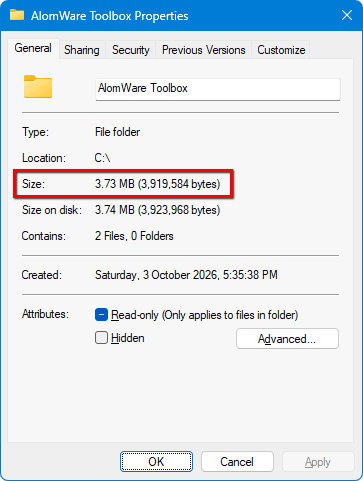
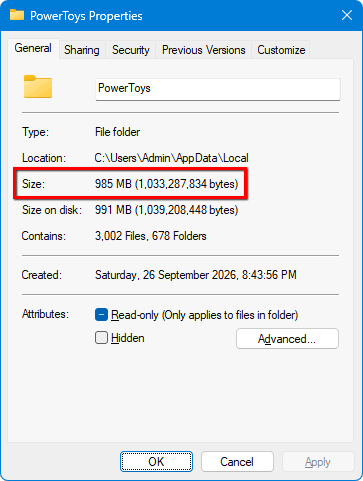
The other two major differences between PowerToys and AlomWare Toolbox is that PowerToys needs to be installed on the target PC (which requires administrator rights to do so) and the initial installed folder size is a whopping 985 MB (almost 1 GB!) with 1003 files littered all over your PC. In contrast, AlomWare Toolbox doesn't need any installation because it's a single portable exe file, with its initial folder size under 4 MB. AlomWare Toolbox stores all its data in one single folder alone, unlike the file scattering of PowerToys (which is not good for a healthy PC). AlomWare Toolbox respects your computer and doesn't waste your hard drive space and mess your PC's file system by dumping files everywhere.
Lastly, anything you meticulously set up with PowerToys is for use on that specific PC
alone
and can't be used on any others; whereas AlomWare Toolbox can be stored and run from a USB stick so you can use your custom automated actions, auto-typing, clipboard history, and window arrangements (plus more) on
any
PC that you use.
Feature
AlomWare Toolbox
Microsoft PowerToys
Windows 7 and 8 support (64-bit PCs only)
✓
Most app features
✗
Windows 10 and 11 only
Initial disk space required for the app's first-time use
What happens to my actions (etc) if I update AlomWare Toolbox?
Most of your existing AlomWare Toolbox settings and data are unaffected with each update to the app. The only things that may change are some action steps if they get updated with a bug fix or enhancement. These are clearly marked in the Change Log as "Change", "Removed" or "Renamed"; and your actions may need manual editing if they've been affected. Note that there is never any obligation to update the app, and you can decline an update or disable update checks altogether.
What's the difference between free use and paying for the app?
Free use of the app is limited to one hour per app launch, but you can relaunch it after that to get another hour of free use, and so on indefinitely. There is no technical support for free users, but you can ask questions on our forum for help. Paying for an unlock code removes these limitations and provides technical support by way of direct emails with the actual development team (we don't use "tickets" or have support monkeys following a script).
If I pay for an unlock code, is it for life and will it work on any PC?
Yes, and yes. This is not a subscription. AlomWare Toolbox is portable software, so the unlock code you get will work on any PC (it's not hardware-locked). Please use it only on PCs that you personally own and don't share your unlock code. Sharing can be detected and the unlock code permanently revoked if shared.
The software industry loves us
Don't just blindly take our word for it.
Click to read what others have to say!
Simple and fair one-time pricing. Not a subscription.
Try it first, or use it free forever. Unlock only when ready.
The price below is for individual use only (contact us for other uses). Casual use is always free with a one-hour session limit per app launch, but you can relaunch indefinitely. For paid users, an internet connection is needed at each launch (but not during use) for license validation.
Free casual sessions
$0
No payment needed, and no features missing or disabled
One-hour session limit per app launch (unlimited relaunches)
Use for occasional tasks or just to evaluate before buying
No email technical support (ask for support on our forum)
No custom features for the app are considered for inclusion
Paid for an unlock code? Please allow up to 24 hours for it to arrive (usually much sooner) at your PayPal email address.
Have a question, feedback, or need help with AlomWare Toolbox? You can either email us below or visit our new forum.
While you are browsing our website, no personal or identifiable information is collected about you, and we have no way of knowing who you are. Some non-personal information will be collected about your visit, such as the browser you're using, the links you clicked, your operating system, desktop resolution, etc. This is normal practice for websites worldwide.
App Data: The data you create with our apps is kept locally on the PC on which it's run, and nothing on your PC is ever copied off or transmitted over the internet to anyone (unless you explicitly allow it, such as saving your app data to the cloud or sending someone an email with it).
Personal Data: This is only used for the purpose for which it was provided. For example, we may use your email address to respond to any queries from you, or to announce news of an update or bug-fixes for any purchases you have made from us. Your email address and other personal information will never be shared with third parties under any circumstances (unless specifically required by law, subpoena, or court order).
 AlomWare Toolbox